Network Setup for Small Business: A Complete Guide
Khaled Mohamed
Founder & Network Engineer
Improve connectivity, security, and productivity with a properly designed small business network. Tech OS
A reliable network is the backbone of every modern small business. Whether your team relies on cloud applications, video conferencing, file sharing, customer databases, or remote work solutions, a properly designed network can improve productivity, strengthen security, and support future growth.
Unfortunately, many small businesses underestimate the importance of network planning. Poorly configured networks often lead to slow performance, connectivity issues, security vulnerabilities, and costly downtime.
This guide explains everything small business owners need to know about network setup, including essential components, security considerations, scalability, and best practices.
Need a secure business network? Contact Tech OS today.
Why Network Setup Matters for Small Businesses
Your business network connects employees, devices, applications, and customers. When the network performs efficiently, daily operations run smoothly.
A properly designed network provides:
- Faster communication
- Improved collaboration
- Enhanced cybersecurity
- Better cloud application performance
- Reliable internet connectivity
- Simplified device management
- Reduced downtime
- Scalability for future growth
Without proper planning, businesses may face performance bottlenecks that negatively impact operations and customer satisfaction.
Assess Your Business Requirements
Before purchasing hardware or configuring equipment, it's important to evaluate your business needs.
Consider the following:
- Number of employees
- Number of connected devices
- Remote work requirements
- Cloud application usage
- Data storage needs
- Cybersecurity requirements
- Expected business growth
Understanding these factors helps ensure your network can support both current and future demands.
Essential Components of a Small Business Network
Every business network consists of several key components that work together to deliver connectivity and performance.
Internet Connection
Your internet connection serves as the foundation of the entire network.
Factors to consider include:
- Bandwidth requirements
- Reliability
- Service-level agreements
- Redundancy options
- Upload and download speeds
Businesses that rely heavily on cloud applications often require higher bandwidth and more reliable connections.
Business Router
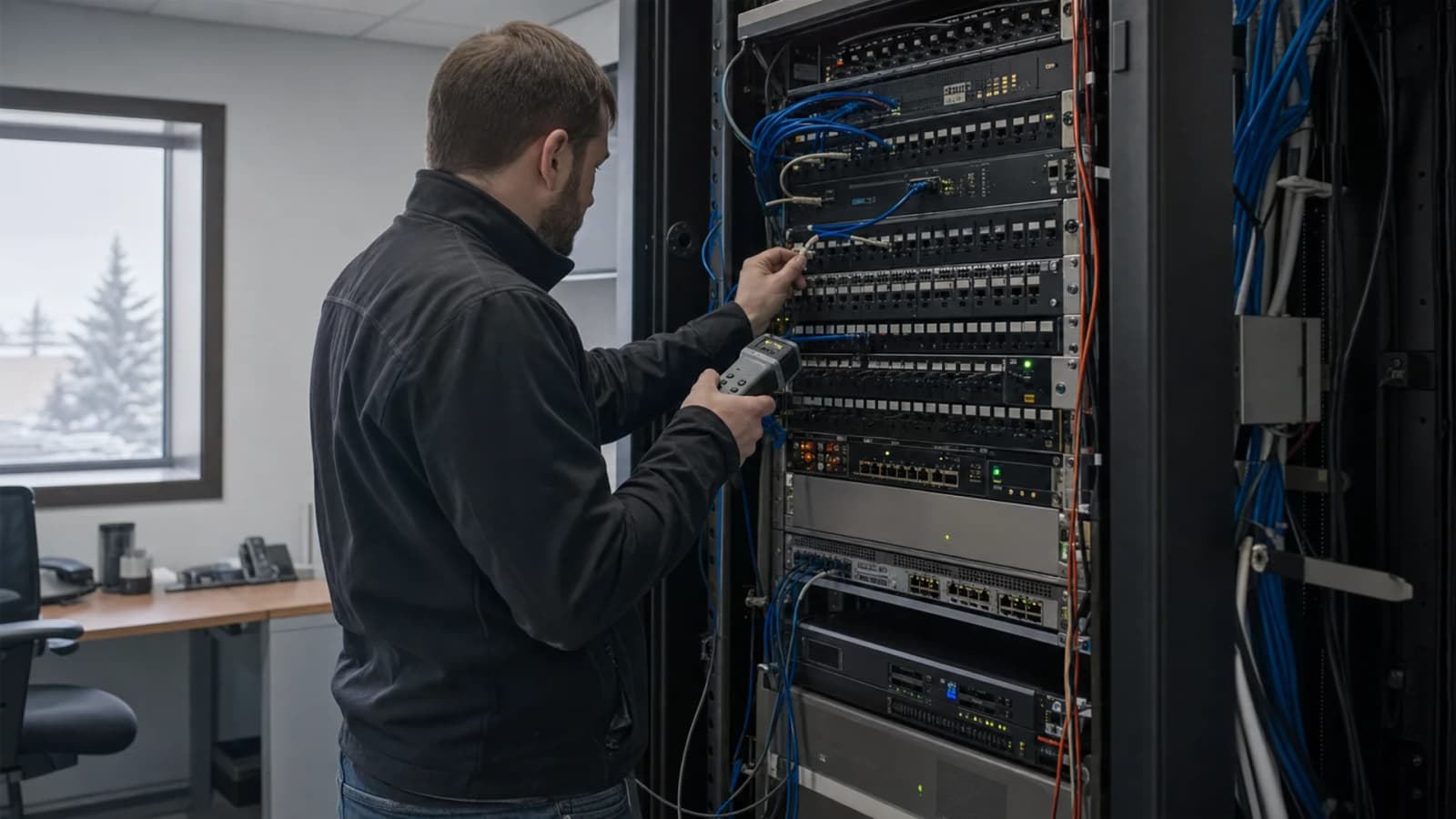
A router directs traffic between your network and the internet.
Modern business-grade routers provide:
- Traffic management
- Security features
- VPN support
- Network segmentation
- Remote management capabilities
Investing in a quality router is essential for both performance and security.
Network Switches
Switches connect devices within the local network.
They allow communication between:
- Computers
- Printers
- Servers
- VoIP phones
- Wireless access points
Managed switches provide greater control, monitoring, and scalability.
Wireless Access Points
Strong Wi-Fi coverage is critical in modern workplaces.
Professional wireless access points offer:
- Better coverage
- Higher performance
- Centralized management
- Enhanced security
- Support for multiple users
Businesses should avoid relying solely on consumer-grade wireless equipment.
Implement Strong Network Security
Cybersecurity should be incorporated into the network from the beginning rather than added later.
Firewall Protection
A firewall acts as the first line of defense against unauthorized access and cyber threats.
Modern firewalls can provide:
- Traffic filtering
- Intrusion prevention
- Malware protection
- Application control
- Threat detection
Secure Wi-Fi Configuration
Business wireless networks should use strong encryption protocols.
Best practices include:
- WPA3 security
- Strong passwords
- Separate guest networks
- Regular credential updates
Multi-Factor Authentication
Multi-factor authentication adds an extra layer of protection for critical business systems and remote access.
Endpoint Protection
Every connected device should have endpoint security solutions installed to prevent malware infections and data breaches.
Plan for Scalability
Many small businesses design networks only for their current size.
This often creates problems when the company grows.
A scalable network allows you to add:
- New employees
- Additional devices
- Cloud services
- New office locations
- Remote workers
Planning ahead can prevent costly upgrades later.
Create a Reliable Wi-Fi Environment
Poor wireless coverage remains one of the most common business networking issues.
To maximize performance:
- Conduct wireless site surveys
- Position access points strategically
- Minimize interference
- Separate business and guest traffic
- Monitor wireless performance regularly
A professionally designed wireless network improves employee productivity and user experience.
Support Remote and Hybrid Work
Many businesses now operate with hybrid or fully remote teams.
Your network should support secure remote access through:
- Virtual Private Networks (VPNs)
- Cloud-based collaboration tools
- Secure file-sharing systems
- Identity management solutions
Remote access solutions should prioritize both usability and security.
Backup and Disaster Recovery Planning
Even the best network infrastructure can experience unexpected disruptions.
Potential risks include:
- Hardware failures
- Cyberattacks
- Natural disasters
- Human error
- Power outages
Every small business should implement:
- Automated backups
- Disaster recovery procedures
- Data restoration testing
- Business continuity plans
These measures help minimize downtime and protect critical business information.
Network Monitoring and Maintenance
A network is not a "set it and forget it" system.
Ongoing monitoring helps identify:
- Performance issues
- Security threats
- Hardware failures
- Capacity limitations
Proactive maintenance ensures that minor issues are resolved before they become major problems.
Businesses often rely on managed IT providers to perform:
- 24/7 monitoring
- Security updates
- Network optimization
- Performance reporting
- Technical support
Common Small Business Network Mistakes
Many businesses encounter avoidable networking problems due to poor planning.
Using Consumer-Grade Equipment
Residential networking devices may not provide the performance, security, or reliability required for business operations.
Ignoring Security
Failing to implement firewalls, endpoint protection, and access controls increases cybersecurity risks.
Poor Wi-Fi Planning
Weak coverage areas can frustrate employees and reduce productivity.
Lack of Redundancy
Single points of failure can bring operations to a halt during outages.
No Monitoring Strategy
Problems often go unnoticed until they begin affecting users and business operations.
Benefits of Professional Network Setup
Working with experienced IT professionals offers several advantages.
A professionally designed network can provide:
- Greater reliability
- Improved security
- Better performance
- Faster troubleshooting
- Reduced downtime
- Future scalability
- Expert support
Instead of reacting to networking issues, businesses can focus on growth and customer service.
How Tech OS Can Help
A professional IT partner like Tech OS can help businesses design, deploy, secure, and maintain modern network infrastructures tailored to their unique requirements.
From network planning and hardware deployment to cybersecurity, monitoring, and ongoing support, Tech OS helps businesses build reliable technology environments that support productivity and growth.
Frequently Asked Questions
What is included in a small business network setup?
A typical setup includes internet connectivity, routers, switches, wireless access points, security solutions, and network management tools.
How much internet speed does a small business need?
The required speed depends on the number of users, cloud applications, video conferencing, and data transfer requirements.
Why is network security important for small businesses?
Cybercriminals frequently target small businesses because they often have weaker security measures than larger organizations.
Should small businesses use managed switches?
Yes. Managed switches provide better control, security, monitoring, and scalability.
How often should a business network be maintained?
Networks should be continuously monitored and reviewed regularly to ensure optimal performance and security.
What is the benefit of a guest Wi-Fi network?
A guest network separates visitor traffic from business systems, reducing security risks.
Can a business network support remote workers?
Yes. Secure VPNs and cloud solutions enable safe and reliable remote access.
Why should businesses work with Tech OS for network setup?
Tech OS provides professional network design, cybersecurity protection, monitoring, maintenance, and ongoing support to help businesses operate efficiently and securely.
Explore our backup and disaster recovery if you want help applying this guidance to your business environment.
Explore our business network setup if you want help applying this guidance to your business environment.
Related local project: Edmonton distribution centre network project. See the cabling, Wi-Fi, and network work completed for a real distribution site.
Founder & Network Engineer
Edmonton-based IT professional at TechOS, helping Alberta businesses stay secure, productive, and ahead of evolving technology challenges.
Get a Free IT Assessment
Talk to our Edmonton team about your infrastructure, security gaps, and the right IT plan for your business.
Book Assessment