Laptop Screen Repair
Laptop screen replacement in Edmonton for cracked, black, flickering and dim displays, with the fault confirmed before any part is ordered.
TechOS does laptop repair in Edmonton for machines that die fast, will not power on, run hot or crash. We work on Dell, HP, Lenovo, Acer, ASUS, Microsoft Surface and MacBook models. A technician tests the fault first and gives you a price, and no work starts until you approve it.
Laptop Repair for Edmonton Teams
With TechOS, you get local laptop repair in Edmonton with careful testing and clear pricing. We work on most major brands and check the battery, screen, power, heat, and other parts to find the real fault. We protect your files when possible and test the laptop after the repair. You will know what was fixed and how to care for your laptop next.
| Best fit | Laptop fixes in Edmonton for power, heat, start-up and hinge problems, with testing and a price first. |
|---|---|
| Common trigger | Battery that will not hold a charge |
| What TechOS checks | Charger, battery health, charging jack, and whether the laptop powers on. |
| Typical hand-off | A diagnostic of the power, screen, battery, or heat problem |
Service explained
Most laptops that come to TechOS have one of five kinds of fault. Each kind has a few common causes, and testing shows which one you have.
Power faults: the laptop dies fast, only runs plugged in, or will not power on.
Heat faults: loud fans, a hot base, slowdowns and sudden shutdowns.
Start-up faults: no lights, a black display, or Windows that will not load.
Physical damage: cracked panels, loose lids, sticky keys and broken ports.
Software faults: slow performance, viruses and crashes after an update.
A laptop that will not take power usually has one of three faults: a worn power adapter, a loose power port, or a cell pack that has reached the end of its life. A technician tests each one in turn, starting with the cheapest, so you dont pay for a part you did not need.
Laptop batteries hold less charge after each year of use. macOS shows battery health in its settings, and Windows can create a report with the same details.
A swollen laptop pack needs fast attention. If the trackpad lifts, the case bulges or the machine will not sit flat, stop using it and bring it in, because swollen cells can crack the case and are a fire risk.
A cracked or flickering display is its own job. We cover it under laptop screen repair. For desktops and other devices, see our computer repair services.
Buyer guidance
A laptop that runs hot usually has dust in the fan and dried thermal paste on the processor. Thermal paste is the thin layer that moves heat from the chip to the cooler, and it dries out after a few years.
Heat makes a laptop slow itself down to protect the chip. When the heat keeps climbing, the machine shuts off with no warning, wich can lose any work that was not saved.
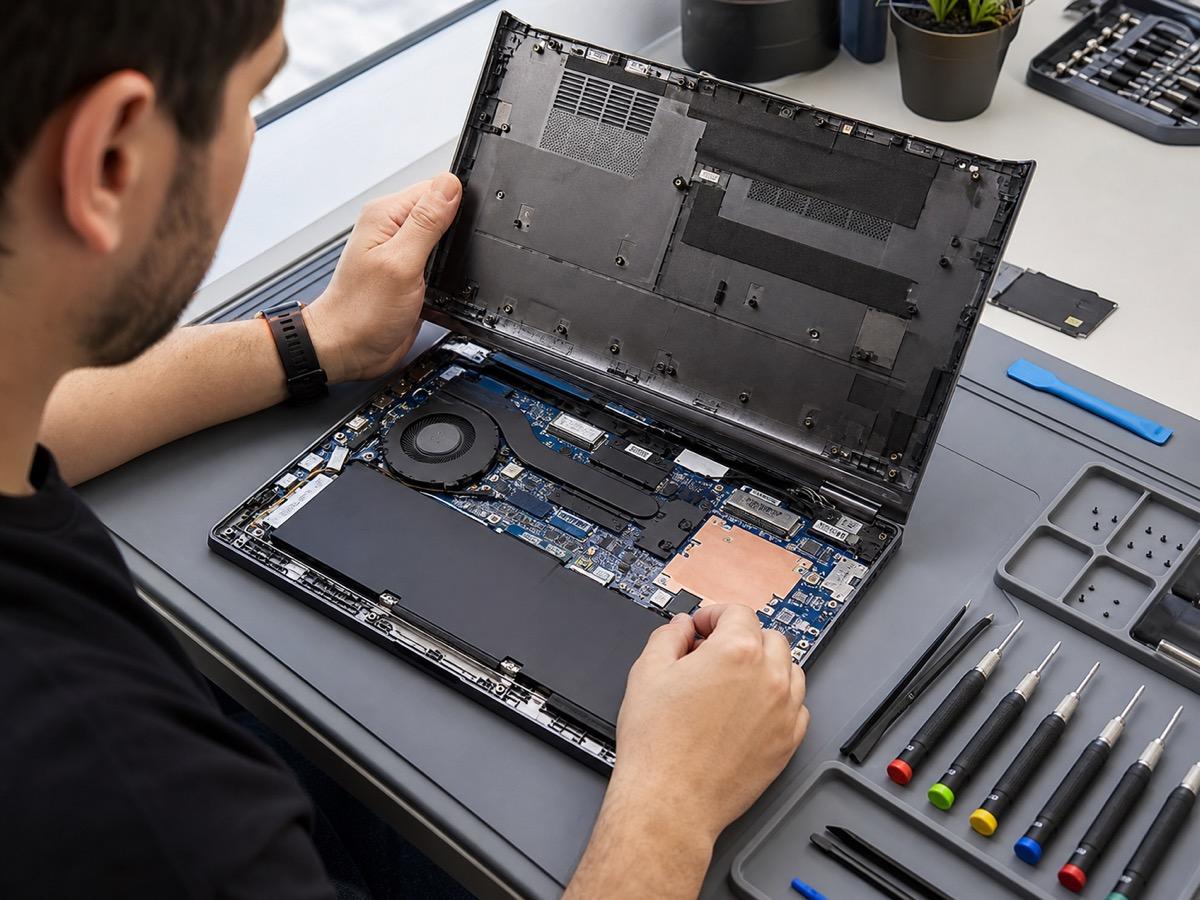
A TechOS heat repair includes opening the case, cleaning the fan and vents, replacing the thermal paste and testing temperatures under load. Fans that grind or stop spinning get replaced.
Clear vents keep a laptop cool after the repair. Use it on a desk or table rather than a bed or couch, because soft surfaces block the air intake under the case.
Data point
Uptime Institute’s 2025 outage analysis reported that human-error outages caused by failure to follow procedures rose by ten percentage points, which is why documentation, escalation paths, and repeatable support matter.
Source: Uptime Institute Annual Outage Analysis 2025Charger, battery health, charging jack, and whether the laptop powers on.
Cracked or dark panels, display cable, backlight, and loose or broken hinges.
Dust, thermal paste, fan health, drive condition, and startup load.
Model, part availability, and the right replacement for Dell, HP, Lenovo, Acer, ASUS, or MacBook.
Process
Tell us the brand and what is wrong, like a dead battery, cracked screen, or no power.
We test the laptop, confirm the fault, and give you a clear repair price before we start.
We swap the battery, screen, or part, or clean and re-paste for overheating, using quality parts.
We check charging, display, and heat, then hand the laptop back working and safe.
Technical scope
A laptop that will not start can have a power fault, a display fault or a software fault. Watch for lights, fan noise or a keyboard glow when you press the power button, because those signs tell the technician where to look first.
No lights at all usually points to the power adapter, the cell pack or the motherboard. Main board faults cost the most to fix, and the technician tells you when that repair costs more than the machine is worth.
Lights with a black display can mean a failed panel, a loose display cable or a memory fault. An outside monitor test shows quickly whether the panel or the rest of the machine is at fault.
Crashes and blue screens on a laptop often come from a failing drive, bad memory or a Windows update gone wrong. TechOS tests the drive and memory first, and if the drive is failing, the technician trys to copy your files before anything else.
Laptop screen faults like cracked panels, dark spots, flicker and colored lines need a display check before a new panel is ordered, since some of these faults come from a cable and not the panel. Our page on laptop screen repair covers the options and what affects the price.
Sticky, dead or repeating keys on a laptop are often fixed with a careful cleaning. Spills and worn keys may need new keys or a new top case because many models have the keys built in.
A loose laptop lid gets worse each time it opens. A quick repair can stop the damage before it cracks the display or pulls on the the display cable.
Questions to ask
Ask about scope, documentation, ownership and follow-up before approving the quote.
Ask if a battery or screen fix costs less than a new laptop, which it usually does.
A good tech checks and protects your data before opening the laptop.
Ask about part stock, since in-stock repairs can be same day.
Local considerations
TechOS follows the same steps for every laptop, whether you drop it off at our Griesbach office or a technician visits your office.
You tell us the brand, the model and what it is doing.
We test power, heat, the drive, memory and the display to confirm the fault.
You get a price and an expected finish time, and approve them before work starts.
We make the repair, then test power, display, temperatures and your files before hand-back.
The cost to fix a laptop depends on the fault and the part. A cleaning and thermal paste job costs far less than a new main board, so TechOS tests first and quotes the real fault.
TechOS charges a diagnostic fee to test a laptop. If you approve the repair, the fee goes toward the total.
Parts are priced and approved before they are ordered. Panels, fans and cell packs are often made for one model, so common models are quicker, and less common models can take several days.
Simple laptop fixes, like a cleaning, a software fix or a power adapter swap, are often done in a day. For a laptop you need back fast, see our page on same-day computer repair.
An older laptop that is slow but healthy may only need an SSD or a RAM upgrade. The upgrade usually costs far less than a new laptop, and the technician tells you plainly when replacing it makes more sense.
Edmonton students and work-from-home folks lean on one laptop. We turn common repairs around fast so you are not stuck.
Edmonton winters are hard on laptop batteries. If yours fades quick after a cold commute, a fresh battery usually fixes it.
Bring your laptop to us or ask about on-site help across St. Albert, Sherwood Park, and Leduc for small business teams.
| Benefit 1 | Cracked screens and dead batteries fixed for less than a new laptop |
|---|---|
| Benefit 2 | Cooler, quieter running after an overheating repair |
| Benefit 3 | Support for Dell, HP, Lenovo, Acer, ASUS, and MacBook |
| Benefit 4 | Your files kept safe through the whole repair |
TechOS has served Edmonton offices and healthcare teams since 2018.
Team certifications include Cisco CCNP, Fortinet FCP, Sophos Certified Engineer, Microsoft 365 Certified, CompTIA Security+. We match the technical scope to your equipment and systems.
TechOS has a 4.9 Google rating across 40 reviews. Read the public feedback on support and onsite work.
For laptop repair, this often means checking the current setup, documenting the risk, fixing the urgent items first, and leaving clear next steps.
FAQs
The cost to fix a laptop at TechOS depends on the fault and the part. TechOS charges a diagnostic fee to find the fault and gives you a quote. If you approve the repair, the fee goes toward the total.
Yes. TechOS replaces worn and swollen laptop batteries on most brands, including HP, Dell, Lenovo and MacBook models. Common models are quicker, and if the part needs to be ordered, you get the timing first.
Yes. TechOS works on Lenovo ThinkPad and other Lenovo models, Microsoft Surface, and Dell, HP, Acer, ASUS and Apple MacBook models for hardware and software faults.
You can bring it to the TechOS office at 5325 Admiral Girouard Street NW in Griesbach, Monday to Friday, 8:30 a.m. to 6 p.m. Businesses in Edmonton, Sherwood Park, St. Albert, Leduc and Spruce Grove can also book an onsite visit.
Most repairs do not touch your files. Before work that could affect data, like a drive swap or a Windows reinstall, the technician works to copy your files first when the drive allows it.
Related service
Laptop screen replacement in Edmonton for cracked, black, flickering and dim displays, with the fault confirmed before any part is ordered.
Find gaps in your current IT setup and discuss which fixes to tackle first. Tell us what is affecting your staff and we will explain the next steps.
Phone
(780) 999-3432
info@techos.ca
Office
5325 Admiral Girouard Street NW, Edmonton, AB T5E 6X5, Canada
Hours
Mon – Fri, 8:30 am – 6:00 pm
Google Business Profile
Directions, hours, photos, and reviews
Fill in your details and we'll get back to you shortly.