Computer Repair
Desktop computer repair and tune-up in Edmonton for slow, crashing, and broken machines.
A RAM upgrade in Edmonton makes a slow computer feel fast again for far less than a new one. A RAM memory upgrade stops the freezing when you have lots of tabs or programs open. TechOS adds memory, fits a solid state drive when it helps, clones your data, and sets it all up. We do laptop RAM upgrades and desktop upgrades for homes and small business so old computers get a second life.
RAM Upgrade for Edmonton Teams
TechOS helps Edmonton homes and small businesses get more life from slow computers with RAM and SSD upgrades. We check what your computer supports and how you use it before suggesting parts, so you only pay for an upgrade that will help. We install the memory or drive, clone your data when needed, and test speed and stability after setup. You get a clear explanation of what changed and what improvement to expect.
Google reviews
Visible proof from TechOS clients on Google, covering response time, clear communication, and practical help when work gets interrupted.
“Had a power supply go on a Saturday morning, and TechOS picked it up by noon and had it delivered before most other companies could even look at it.”
Review highlight
Saturday pickup by noon
“Khalid is the computer repair guy you're looking for. Quick turn around, trustworthy, and very reasonable prices.”
Review highlight
Quick turnaround
“Khalid was extremely knowledgeable and helpful when working on retrieving lost data from my laptop.”
Review highlight
Pictures and updates
Reviews shown are selected from public Google reviews that match the service or support themes on this page. Google does not verify reviews, but checks for and removes fake content when found. Use the Google Maps links to see source reviews and report concerns.
| Best fit | Many Edmonton homes and offices have solid machines that just feel slow. A RAM upgrade and SSD give them years more life. |
|---|---|
| Common trigger | Freezing with a few tabs open |
| What TechOS checks | Upgrade fit |
| Typical hand-off | A confirmed upgrade plan with the best RAM and SSD sizes |
Service explained
A RAM upgrade in Edmonton makes a slow computer feel fast again for far less than a new one. A RAM memory upgrade stops the freezing when you have lots of tabs or programs open. TechOS adds memory, fits a solid state drive when it helps, clones your data, and sets it all up.
TechOS helps Edmonton homes and small businesses get more life from slow computers with RAM and SSD upgrades. We check what your computer supports and how you use it before suggesting parts, so you only pay for an upgrade that will help. We install the memory or drive, clone your data when needed, and test speed and stability after setup. You get a clear explanation of what changed and what improvement to expect. For Edmonton businesses, this means practical support that is easy to understand, easy to request, and tied to the way your team actually works.
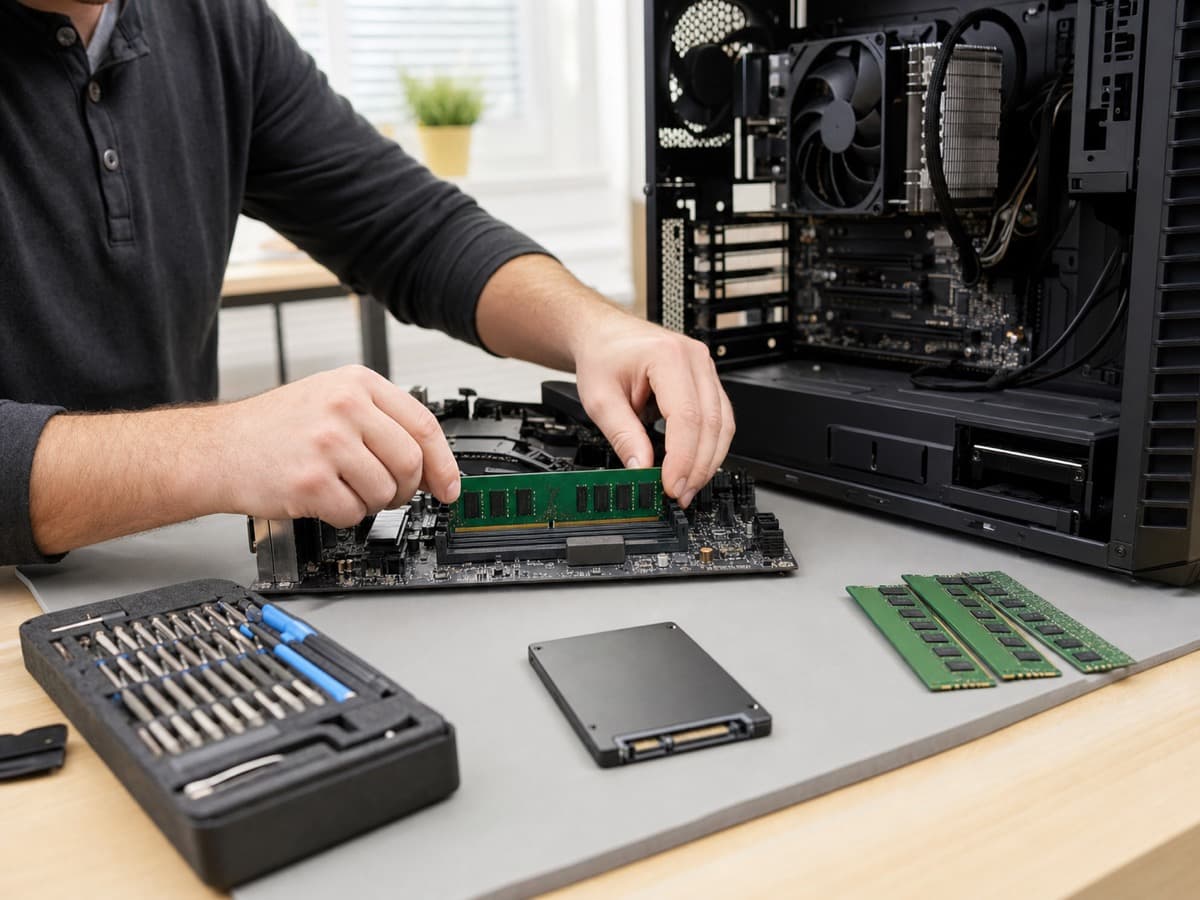
Buyer guidance
Data point
Uptime Institute’s 2025 outage analysis reported that human-error outages caused by failure to follow procedures rose by ten percentage points, which is why documentation, escalation paths, and repeatable support matter.
Source: Uptime Institute Annual Outage Analysis 2025Whether the laptop or desktop can take more RAM and an SSD.
The RAM amount and SSD size that suit how you actually work.
The matching module, such as Crucial memory RAM, so it runs stable.
How to clone your files, programs, and settings without loss.
Process
TechOS handles ram upgrade by reviewing the current environment, setting priorities, doing the highest-impact fixes first, and documenting the work. Each step ties back to ticket history, user impact, security risk, and the practical next action your Edmonton team needs to keep work moving.
We confirm your laptop or desktop can take more RAM and an SSD, and pick the right sizes. We can upgrade RAM in a notebook or a tower.
We match trusted memory like Crucial memory RAM to your machine so it runs stable, then quote the best RAM upgrade for your budget.
We install the RAM and SSD, clone your data over, and get Windows running clean.
We check the new speed and drive health, then hand back a computer that feels new.
Technical scope
The technical scope for ram upgrade covers the systems, access, documentation, and hand-offs that decide whether the work lasts after the visit. TechOS checks the visible issue, the related infrastructure, and the ownership trail so your team is not left with a temporary fix or unclear vendor boundary.
Questions to ask
Ask these questions before approving scope, timing, or budget. They help confirm whether the work includes documentation, ownership, security impact, and the follow-up needed after the first fix.
Ask which upgrade fits your machine and how you use it.
Ask what size is the best RAM upgrade for your work.
A good upgrade clones your data so you do not start over.
Local considerations
RAM Upgrade in Edmonton needs to fit real offices, clinics, job sites, warehouses, hybrid staff, and limited internal IT time. TechOS connects local response with documented standards so support decisions are based on risk, business disruption, and what your staff need to stay productive.
See how we support businesses across our Edmonton service area.
Many Edmonton homes and offices have solid machines that just feel slow. A RAM upgrade and SSD give them years more life.
Local small offices do a batch RAM memory upgrade instead of buying all new computers, which saves real money.
We clone your data so Edmonton customers do not lose photos, programs, or settings during the upgrade.
| Benefit 1 | A slow computer that feels new for less than a new one |
|---|---|
| Benefit 2 | Faster multitasking, boot, and loading |
| Benefit 3 | Your files and programs kept through data cloning |
| Benefit 4 | Advice on the best RAM and SSD for your needs |
TechOS has served Edmonton businesses since 2018, supporting healthcare teams and small businesses across the region.
Your work is backed by certifications and vendor experience across Cisco CCNP, Fortinet FCP, Sophos Certified Engineer, Microsoft 365 Certified, CompTIA Security+, plus Microsoft, Cisco, Fortinet, Sophos, Aruba, HPE, and Palo Alto ecosystems where they fit the environment.
TechOS has a 4.9 Google rating across 40 reviews, with public feedback that mentions plain-English guidance, remote support, and fast onsite response.
For ram upgrade, this often means checking the current setup, documenting the risk, fixing the urgent items first, and leaving clear next steps.
FAQs
It depends on how much memory you need, but it is far cheaper than a new computer. We quote it up front. We do RAM upgrades and SSD upgrades in Edmonton for homes and small business.
Yes, if it freezes with many tabs or programs open. A RAM memory upgrade helps a lot with multitasking. If boot is slow too, an SSD gives the biggest boost.
Yes. We do laptop RAM upgrades and laptop RAM replacement on most models, as long as the laptop supports it. We can upgrade RAM in a notebook or a desktop tower.
For most people 16GB is the sweet spot. We advise the best RAM upgrade for how you work and use trusted memory like Crucial memory RAM so it stays stable.
A RAM upgrade helps if you keep many programs or tabs open. An SSD helps most with slow boot and loading. Many machines do best with both, and we advise what fits.
Yes. We clone your drive so your files, programs, and settings move over. You do not have to start over.
Many upgrades are same day, since cloning and setup do not take long. We tell you the timing when you book.
Related TechOS Services
Desktop computer repair and tune-up in Edmonton for slow, crashing, and broken machines.
Laptop repair in Edmonton for batteries, screens, hinges, overheating, and no-power problems.
Data recovery in Edmonton for failed hard drives, SSDs, and deleted files, including emergency recovery.
Virus, malware, and spyware removal in Edmonton with antivirus setup for homes and small businesses.
PC repair in Edmonton for towers, custom and gaming builds, hardware faults, and Windows problems.
On-site, in-home, and in-office computer repair across Edmonton, with same-day help when possible.
Same-day and emergency computer repair in Edmonton with fast local response for urgent problems.
Computer diagnostics in Edmonton that test hardware, memory, and software to find the real problem first.
Laptop screen repair and replacement in Edmonton for cracked, black, or flickering displays.
No obligation. Just honest expert advice from a local Edmonton team who understands your business.
Phone
(780) 999-3432
info@techos.ca
Office
5325 Admiral Girouard Street NW, Edmonton, AB T5E 6X5, Canada
Hours
Mon – Fri, 8:30 am – 6:00 pm
Google Business Profile
Directions, hours, photos, and reviews
Fill in your details and we'll get back to you shortly.