IT Support Services
Local IT support services for Edmonton businesses, covering helpdesk, remote support, onsite support, ticket follow-up, triage, and vendor coordination.
Server management in Edmonton keeps the servers your business depends on fast, secure, and online. TechOS handles updates, monitoring, backups, and repairs so your shared files, applications, and email never grind to a halt. A healthy server means your whole team keeps working.
Server Management And Maintenance for Edmonton Teams
TechOS keeps the servers Edmonton businesses depend on monitored, patched, backed up, and ready for growth. We track disk space, hardware health, performance, and security, schedule maintenance outside business hours, and test recovery so a backup is more than a status light. You get plain-language health reports, early warning about aging parts or capacity limits, and a 15-minute response target when a critical server issue stops work.
Google reviews
Visible proof from TechOS clients on Google, covering response time, clear communication, and practical help when work gets interrupted.
“Had a power supply go on a Saturday morning, and TechOS picked it up by noon and had it delivered before most other companies could even look at it.”
Review highlight
Saturday pickup by noon
“Khalid was extremely knowledgeable and helpful when working on retrieving lost data from my laptop.”
Review highlight
Pictures and updates
“TechOS got my computer up and running quickly after malware issue. Very reasonable price, and professional service. I also got remote support.”
Review highlight
Remote support
Reviews shown are selected from public Google reviews that match the service or support themes on this page. Google does not verify reviews, but checks for and removes fake content when found. Use the Google Maps links to see source reviews and report concerns.
| Best fit | Many Edmonton offices keep a server in a back room or closet. We watch temperature and power so summer heat or a winter outage does not cause a crash. |
|---|---|
| Common trigger | Servers slow to a crawl |
| What TechOS checks | Server health |
| Typical hand-off | Server health and risk summary |
Service explained
Server management in Edmonton keeps the servers your business depends on fast, secure, and online. TechOS handles updates, monitoring, backups, and repairs so your shared files, applications, and email never grind to a halt. A healthy server means your whole team keeps working.
TechOS keeps the servers Edmonton businesses depend on monitored, patched, backed up, and ready for growth. We track disk space, hardware health, performance, and security, schedule maintenance outside business hours, and test recovery so a backup is more than a status light. You get plain-language health reports, early warning about aging parts or capacity limits, and a 15-minute response target when a critical server issue stops work. For Edmonton businesses, this means practical support that is easy to understand, easy to request, and tied to the way your team actually works.
Buyer guidance
Data point
Uptime Institute’s 2025 outage analysis reported that human-error outages caused by failure to follow procedures rose by ten percentage points, which is why documentation, escalation paths, and repeatable support matter.
Source: Uptime Institute Annual Outage Analysis 2025Disk space, event logs, services, performance, hardware age, warranty, RAID, and update status.
Active Directory, Entra ID sync, admin groups, stale accounts, file permissions, and login policies.
Backup coverage, restore tests, retention, offsite copies, and recovery targets for key workloads.
Applications, databases, printers, mapped drives, scripts, certificates, and vendors tied to the server.
Process
TechOS handles server management and maintenance by reviewing the current environment, setting priorities, doing the highest-impact fixes first, and documenting the work. Each step ties back to ticket history, user impact, security risk, and the practical next action your Edmonton team needs to keep work moving.
We review your servers for performance, space, security, and aging hardware, then list what needs attention.
We apply updates, harden security, and fix the issues that put your servers at risk.
We watch server health day and night and handle routine maintenance during off-hours to avoid downtime.
We track capacity and report on health so you can plan upgrades before a server runs out of room.
Technical scope
The technical scope for server management and maintenance covers the systems, access, documentation, and hand-offs that decide whether the work lasts after the visit. TechOS checks the visible issue, the related infrastructure, and the ownership trail so your team is not left with a temporary fix or unclear vendor boundary.
Questions to ask
Ask these questions before approving scope, timing, or budget. They help confirm whether the work includes documentation, ownership, security impact, and the follow-up needed after the first fix.
Before changes, confirm applications, printers, shares, users, and vendors tied to the server.
Backups matter only if a restore works. Ask for evidence, not assumptions.
Sometimes the right answer is maintenance. Sometimes it is modernization. The recommendation should be based on risk and cost.
Local considerations
Server Management And Maintenance in Edmonton needs to fit real offices, clinics, job sites, warehouses, hybrid staff, and limited internal IT time. TechOS connects local response with documented standards so support decisions are based on risk, business disruption, and what your staff need to stay productive.
See how we support businesses across our Edmonton service area.
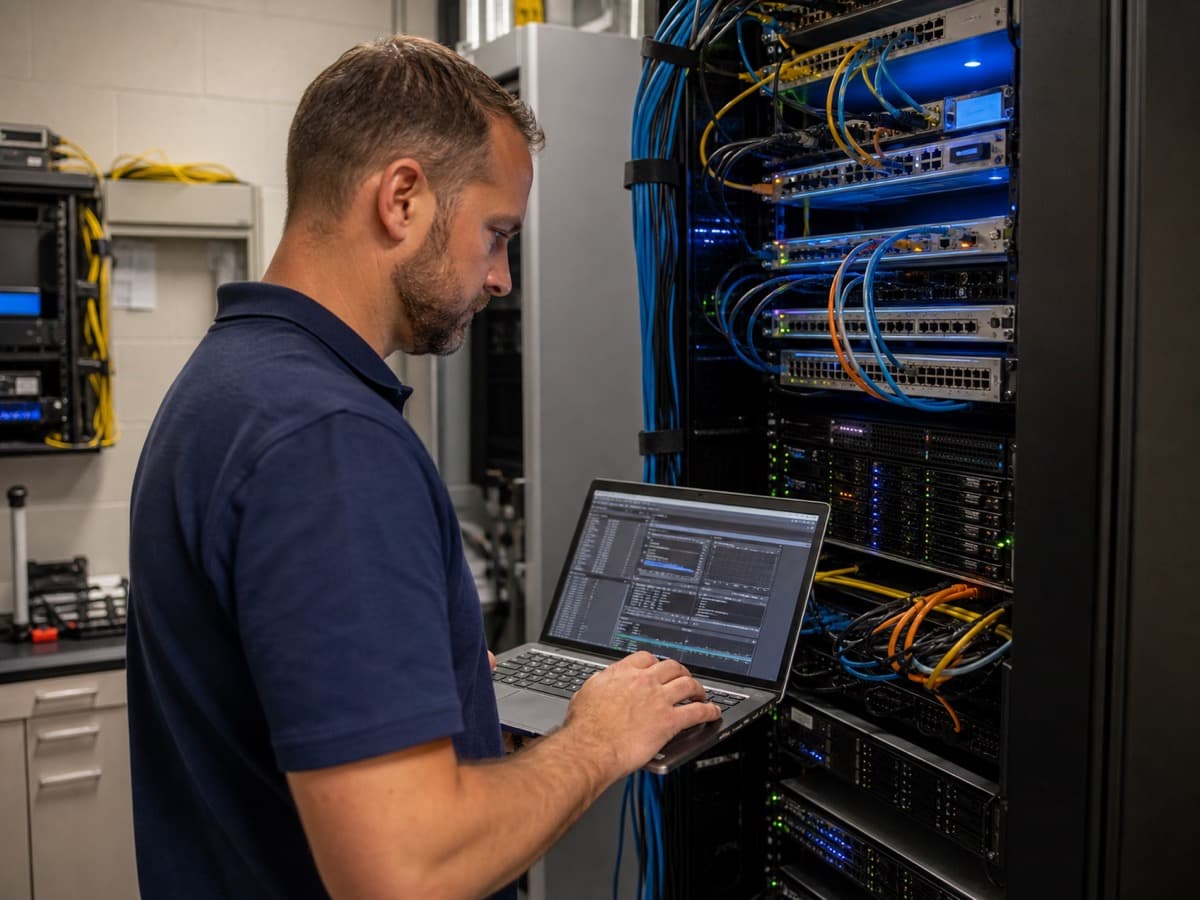
Many Edmonton offices keep a server in a back room or closet. We watch temperature and power so summer heat or a winter outage does not cause a crash.
We schedule server work outside Edmonton business hours so updates and reboots never interrupt your team.
Local businesses often run some servers on-site and some in the cloud. We manage both so your whole setup stays healthy.
| Benefit 1 | Servers that stay fast, secure, and online |
|---|---|
| Benefit 2 | Updates applied safely without surprise downtime |
| Benefit 3 | Early warning before hardware fails |
| Benefit 4 | Tested backups so a server failure does not cost you days |
TechOS has served Edmonton businesses since 2018, supporting healthcare teams and small businesses across the region.
Your work is backed by certifications and vendor experience across Cisco CCNP, Fortinet FCP, Sophos Certified Engineer, Microsoft 365 Certified, CompTIA Security+, plus Microsoft, Cisco, Fortinet, Sophos, Aruba, HPE, and Palo Alto ecosystems where they fit the environment.
TechOS has a 4.9 Google rating across 40 reviews, with public feedback that mentions plain-English guidance, remote support, and fast onsite response.
For a server-dependent business, this often means monitoring, patching, backup checks, restore testing, and a documented recovery order before a failure happens.
FAQs
Yes. We manage physical servers in your office and servers running in the cloud, so your whole setup is covered.
We schedule updates and reboots for off-hours so your team is not interrupted during the workday.
We target a 15-minute response on critical issues, work to restore service fast, and rely on tested backups to recover data.
Yes. We track health and capacity and warn you before a server runs out of room or hardware gives out, so you can plan ahead.
We manage servers for businesses in Edmonton, St. Albert, Sherwood Park, Leduc, Fort Saskatchewan, Spruce Grove, Beaumont, and Nisku.
Related TechOS Services
Local IT support services for Edmonton businesses, covering helpdesk, remote support, onsite support, ticket follow-up, triage, and vendor coordination.
Scheduled updates for every Edmonton business device, closing security holes before they are exploited.
Automatic backups and recovery planning for Edmonton businesses, tested so your data comes back when you need it.
Day-to-day helpdesk support for Edmonton staff, answered by a local team that knows your systems.
Fast remote help for Edmonton businesses, solving most issues by secure screen-share without a site visit.
In-person IT support across Edmonton, with a local technician on-site for setups, repairs, and hands-on fixes.
Hardware and software buying plus vendor management for Edmonton businesses, with gear that fits and arrives ready.
No obligation. Just honest expert advice from a local Edmonton team who understands your business.
Phone
(780) 999-3432
info@techos.ca
Office
5325 Admiral Girouard Street NW, Edmonton, AB T5E 6X5, Canada
Hours
Mon – Fri, 8:30 am – 6:00 pm
Google Business Profile
Directions, hours, photos, and reviews
Fill in your details and we'll get back to you shortly.