Computer Diagnostics
Computer diagnostics in Edmonton that test hardware, memory, and software to find the real problem first.
Computer repair in Edmonton gets your slow, crashing, or broken desktop working like new again. TechOS fixes hardware and software problems, clears out junk and dust, and tunes up your computer so it runs fast. We help homes and small businesses, with clear pricing and computer repair near you.
Computer Repair for Edmonton Teams
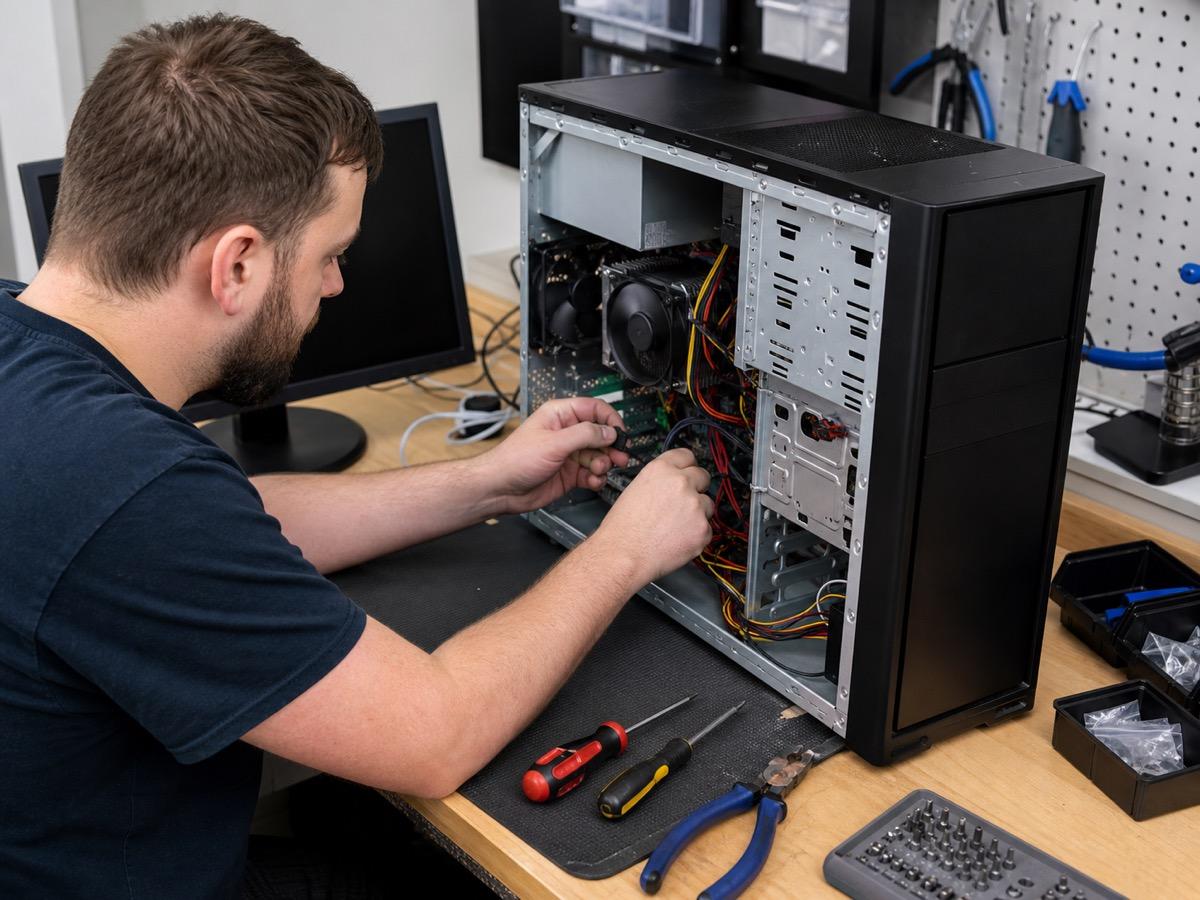
TechOS makes desktop computer repair simple for Edmonton homes and small offices. We test slow, crashing, hot, or non-starting computers to find the real hardware or software problem. You get a clear repair price before work starts, and we fix the cause instead of guessing. Before the computer goes back, we check that it starts, runs well, and stays stable.
| Best fit | Desktop computer repair and tune-up in Edmonton for slow, crashing, and broken machines. |
|---|---|
| Common trigger | Your desktop feels slow |
| What TechOS checks | Startup programs, junk and temp files, drive health, and free space. |
| Typical hand-off | A diagnostic of why the desktop is slow or broken |
Service explained
Computer repair in Edmonton gets your slow, crashing, or broken desktop working like new again. TechOS fixes hardware and software problems, clears out junk and dust, and tunes up your computer so it runs fast. We help homes and small businesses, with clear pricing and computer repair near you.
TechOS makes desktop computer repair simple for Edmonton homes and small offices. We test slow, crashing, hot, or non-starting computers to find the real hardware or software problem. You get a clear repair price before work starts, and we fix the cause instead of guessing. Before the computer goes back, we check that it starts, runs well, and stays stable. For Edmonton businesses, this means practical support that is easy to understand, easy to request, and tied to the way your team actually works.
If you're not sure what is wrong, we start with computer diagnostics and give you a quote before any repair. See every repair we offer on our computer repair services page.
Buyer guidance
Data point
Uptime Institute’s 2025 outage analysis reported that human-error outages caused by failure to follow procedures rose by ten percentage points, which is why documentation, escalation paths, and repeatable support matter.
Source: Uptime Institute Annual Outage Analysis 2025Startup programs, junk and temp files, drive health, and free space.
Dust build up, fan condition, and airflow that causes overheating and shutdowns.
Boot errors, corrupt files, drivers, and updates that block startup.
Whether an SSD or more RAM would fix the speed for less than a new PC.
Process
TechOS handles computer repair by reviewing the current environment, setting priorities, doing the highest-impact fixes first, and documenting the work. Each step ties back to ticket history, user impact, security risk, and the practical next action your Edmonton team needs to keep work moving.
You tell us if it is slow, crashing, or dead, and we ask what changed recently.
We test the drive, memory, temps, and software, then give you a clear price to fix it.
We do the repair, clean out dust and junk, and speed the machine up where we can.
We run the computer hard to make sure the fix holds, then hand it back with simple care tips.
Technical scope
The technical scope for computer repair covers the systems, access, documentation, and hand-offs that decide whether the work lasts after the visit. TechOS checks the visible issue, the related infrastructure, and the ownership trail so your team is not left with a temporary fix or unclear vendor boundary.
Questions to ask
Ask about scope, documentation, ownership and follow-up before approving the quote.
Ask if a tune-up and SSD would fix the speed before spending on a new machine.
A good tech checks dust and fans, since heat is a common cause of crashes and shutdowns.
Ask for a clear quote after the diagnostic and before any parts are bought.
Local considerations
Computer Repair in Edmonton needs to fit real offices, clinics, job sites, warehouses, hybrid staff, and limited internal IT time. TechOS connects local response with documented standards so support decisions are based on risk, business disruption, and what your staff need to stay productive.
Closed-up Edmonton houses in winter pack computers with dust. We clean the inside so parts stay cool and last longer.
Lots of local folks work from home and cannot lose their desktop. We turn desktop repairs around fast so you get back to work.
Many Edmonton desktops just need an SSD and a clean up, not a costly new PC. We tell you straight when a repair beats a replacement.
| Benefit 1 | A desktop that boots and runs fast again |
|---|---|
| Benefit 2 | Cooler, quieter operation after a proper dust clean |
| Benefit 3 | Clear pricing before any parts are bought |
| Benefit 4 | Honest repair versus replace advice from a local team |
TechOS has served Edmonton offices and healthcare teams since 2018.
Team certifications include Cisco CCNP, Fortinet FCP, Sophos Certified Engineer, Microsoft 365 Certified, CompTIA Security+. We match the technical scope to your equipment and systems.
TechOS has a 4.9 Google rating across 40 reviews. Read the public feedback on support and onsite work.
For computer repair, this often means checking the current setup, documenting the risk, fixing the urgent items first, and leaving clear next steps.
FAQs
A tune-up is one of our lower cost services and often makes a slow computer feel new. We quote the price up front after a quick look. We do computer repair in Edmonton for homes and small business.
Yes, in most cases. Clearing junk, trimming startup programs, and cleaning dust helps a lot. Adding an SSD gives the biggest speed jump on older machines.
Yes. We open the computer, clean out dust and pet hair, check the fans, and fix airflow so it stops running hot and shutting down.
Yes. We turn off programs that load at boot and clear out junk and temp files, which is a big reason computers slow down over time.
About once a year works for most homes and offices, or sooner if the computer feels slow or runs hot.
Yes. We tune up both. Laptops trap more heat, so dust cleaning helps them a lot. See our laptop repair page for laptop-only issues.
Yes, and we recommend it. A tune-up and an SSD often save you from buying a new machine. If a repair is not worth it, we tell you plainly.
Related service
Computer diagnostics in Edmonton that test hardware, memory, and software to find the real problem first.
Find gaps in your current IT setup and discuss which fixes to tackle first. Tell us what is affecting your staff and we will explain the next steps.
Phone
(780) 999-3432
info@techos.ca
Office
5325 Admiral Girouard Street NW, Edmonton, AB T5E 6X5, Canada
Hours
Mon – Fri, 8:30 am – 6:00 pm
Google Business Profile
Directions, hours, photos, and reviews
Fill in your details and we'll get back to you shortly.