Computer Repair
Desktop computer repair and tune-up in Edmonton for slow, crashing, and broken machines.
Computer diagnostics in Edmonton find the real cause of a slow, crashing, or dead computer before you spend on parts. TechOS runs a full PC diagnostic on the hardware and software, from drives and a memory tester to overheating and Windows errors, then gives you a clear report and price. We do Dell and HP PC hardware diagnostics too, and we help homes and small businesses make a smart repair choice.
Computer Diagnostics for Edmonton Teams
TechOS finds the cause of computer problems for Edmonton homes and small businesses before they spend money on parts. We test the drive, memory, power, heat, Windows, and other likely causes instead of guessing. You get the findings in plain language, a clear repair price, and honest advice about repairing, upgrading, or replacing the computer. The choice stays with you.
Google reviews
Visible proof from TechOS clients on Google, covering response time, clear communication, and practical help when work gets interrupted.
“Khalid was extremely knowledgeable and helpful when working on retrieving lost data from my laptop.”
Review highlight
Pictures and updates
“Khalid is the computer repair guy you're looking for. Quick turn around, trustworthy, and very reasonable prices.”
Review highlight
Quick turnaround
“TechOS got my computer up and running quickly after malware issue. Very reasonable price, and professional service. I also got remote support.”
Review highlight
Remote support
Reviews shown are selected from public Google reviews that match the service or support themes on this page. Google does not verify reviews, but checks for and removes fake content when found. Use the Google Maps links to see source reviews and report concerns.
| Best fit | Plenty of Edmonton folks come to us for a second look before buying a new computer. Often the fix is small. |
|---|---|
| Common trigger | You do not know what is wrong |
| What TechOS checks | Drive health |
| Typical hand-off | A full PC diagnostic on hardware and software |
Service explained
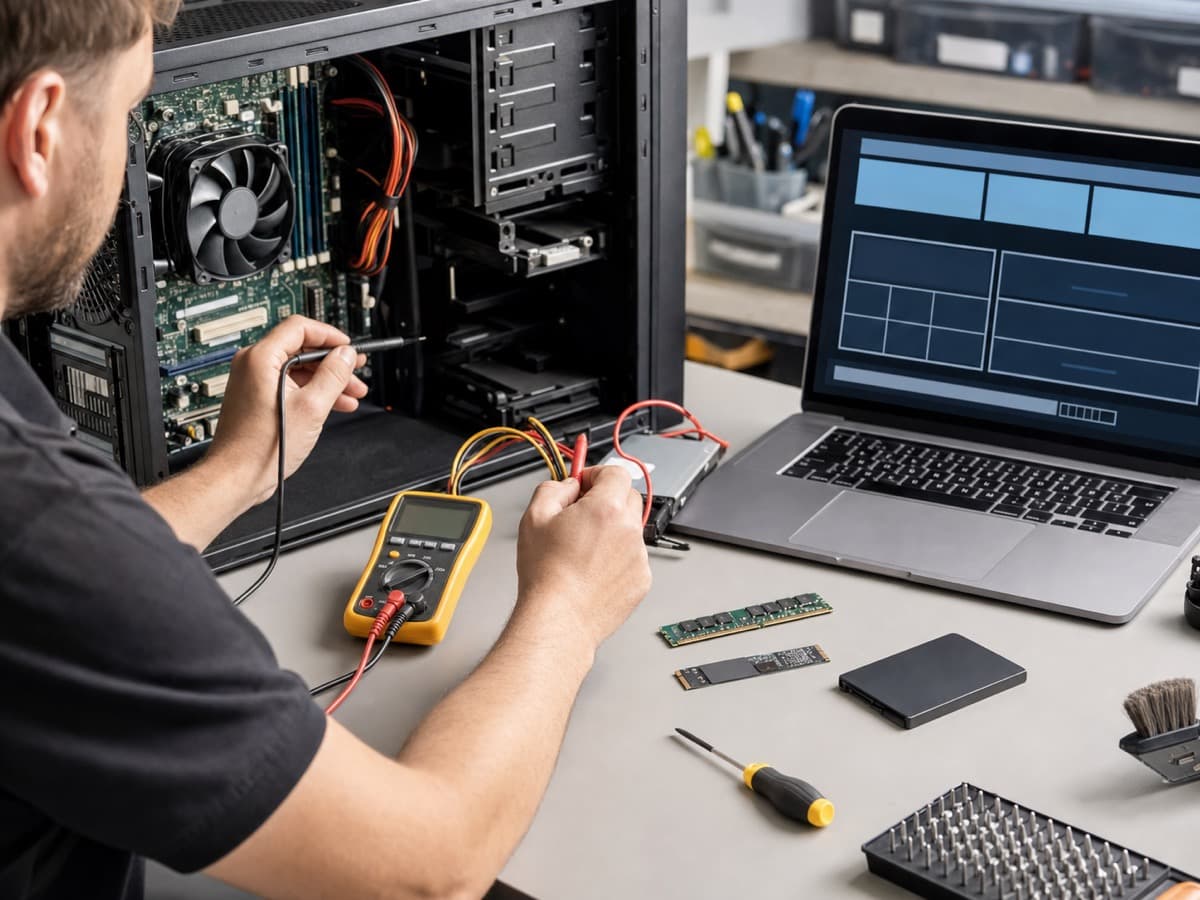
Computer diagnostics in Edmonton find the real cause of a slow, crashing, or dead computer before you spend on parts. TechOS runs a full PC diagnostic on the hardware and software, from drives and a memory tester to overheating and Windows errors, then gives you a clear report and price.
TechOS finds the cause of computer problems for Edmonton homes and small businesses before they spend money on parts. We test the drive, memory, power, heat, Windows, and other likely causes instead of guessing. You get the findings in plain language, a clear repair price, and honest advice about repairing, upgrading, or replacing the computer. The choice stays with you. For Edmonton businesses, this means practical support that is easy to understand, easy to request, and tied to the way your team actually works.
Buyer guidance
Data point
Uptime Institute’s 2025 outage analysis reported that human-error outages caused by failure to follow procedures rose by ten percentage points, which is why documentation, escalation paths, and repeatable support matter.
Source: Uptime Institute Annual Outage Analysis 2025Hard drive or SSD condition and errors that cause slow or failing systems.
A computer memory tester and RAM tester for faults behind crashes and blue screens.
Power supply, battery, dust, and overheating that shut down the machine.
Windows errors, drivers, and a virus scan as part of the check.
Process
TechOS handles computer diagnostics by reviewing the current environment, setting priorities, doing the highest-impact fixes first, and documenting the work. Each step ties back to ticket history, user impact, security risk, and the practical next action your Edmonton team needs to keep work moving.
You tell us what the computer does and when the trouble started.
We run a PC diagnostic on the drive, a memory tester on the RAM, plus temps, power, and software to find the true cause.
We give you a plain report of the problem and a clear price to fix it.
You choose to repair, upgrade, or replace, with no pressure and honest advice.
Technical scope
The technical scope for computer diagnostics covers the systems, access, documentation, and hand-offs that decide whether the work lasts after the visit. TechOS checks the visible issue, the related infrastructure, and the ownership trail so your team is not left with a temporary fix or unclear vendor boundary.
Questions to ask
Ask these questions before approving scope, timing, or budget. They help confirm whether the work includes documentation, ownership, security impact, and the follow-up needed after the first fix.
Ask for a PC memory tester if you get random crashes or blue screens.
A good diagnostic gives a plain report, not a vague guess.
Ask for honest repair versus replace advice based on the findings.
Local considerations
Computer Diagnostics in Edmonton needs to fit real offices, clinics, job sites, warehouses, hybrid staff, and limited internal IT time. TechOS connects local response with documented standards so support decisions are based on risk, business disruption, and what your staff need to stay productive.
See how we support businesses across our Edmonton service area.
Plenty of Edmonton folks come to us for a second look before buying a new computer. Often the fix is small.
Local offices use our diagnostics to plan repairs and budgets instead of guessing which machine will fail next.
Many Edmonton computer faults trace back to dust and heat. Our testing spots overheating before it kills a part.
| Benefit 1 | The real cause found before you spend on parts |
|---|---|
| Benefit 2 | Honest repair versus replace advice |
| Benefit 3 | A clear, plain-language report you can act on |
| Benefit 4 | The diagnostic fee applied to your repair |
TechOS has served Edmonton businesses since 2018, supporting healthcare teams and small businesses across the region.
Your work is backed by certifications and vendor experience across Cisco CCNP, Fortinet FCP, Sophos Certified Engineer, Microsoft 365 Certified, CompTIA Security+, plus Microsoft, Cisco, Fortinet, Sophos, Aruba, HPE, and Palo Alto ecosystems where they fit the environment.
TechOS has a 4.9 Google rating across 40 reviews, with public feedback that mentions plain-English guidance, remote support, and fast onsite response.
For computer diagnostics, this often means checking the current setup, documenting the risk, fixing the urgent items first, and leaving clear next steps.
FAQs
We charge a small flat diagnostic fee, and it goes toward the repair if you go ahead. We offer computer diagnostics in Edmonton for homes and small business.
It is a small paid fee that we apply to the repair cost if you choose to fix the computer with us.
We check the drive, run a computer memory tester on the RAM, and check power, temps, and software, plus a virus scan, so we find the real cause, not a guess.
Yes. We use a PC memory tester and RAM tester to find bad memory, which is a common cause of blue screens and random freezes.
Yes. We run Dell computer diagnostics and HP PC hardware diagnostics, and we test most other brands of laptop and desktop too.
Many diagnostics are done the same day. Random or on-and-off faults may need longer testing, and we tell you the timing.
Yes. If you go ahead with the repair, the diagnostic fee is put toward the total, so you do not pay twice.
Yes. A dead computer needs a diagnostic to find if it is the power supply, battery, or a board part before any repair.
Related TechOS Services
Desktop computer repair and tune-up in Edmonton for slow, crashing, and broken machines.
PC repair in Edmonton for towers, custom and gaming builds, hardware faults, and Windows problems.
Data recovery in Edmonton for failed hard drives, SSDs, and deleted files, including emergency recovery.
Laptop repair in Edmonton for batteries, screens, hinges, overheating, and no-power problems.
Virus, malware, and spyware removal in Edmonton with antivirus setup for homes and small businesses.
On-site, in-home, and in-office computer repair across Edmonton, with same-day help when possible.
Same-day and emergency computer repair in Edmonton with fast local response for urgent problems.
Laptop screen repair and replacement in Edmonton for cracked, black, or flickering displays.
RAM upgrade and SSD upgrade in Edmonton that make slow laptops and desktops fast again, with data cloning included.
No obligation. Just honest expert advice from a local Edmonton team who understands your business.
Phone
(780) 999-3432
info@techos.ca
Office
5325 Admiral Girouard Street NW, Edmonton, AB T5E 6X5, Canada
Hours
Mon – Fri, 8:30 am – 6:00 pm
Google Business Profile
Directions, hours, photos, and reviews
Fill in your details and we'll get back to you shortly.