Computer Repair
Desktop computer repair and tune-up in Edmonton for slow, crashing, and broken machines.
TechOS provides computer repair in Edmonton for desktops, laptops and custom PCs at home or at work. We test the computer to find the real cause, give you a clear price, and fix it only after you approve. You can drop it off at our Griesbach office, book an onsite visit, or use remote help for software problems.
Services in this category
Pick the service that matches your problem. Each one explains the work, the costs and what you get when the job is done.
Desktop computer repair and tune-up in Edmonton for slow, crashing, and broken machines.
Laptop fixes in Edmonton for power, heat, start-up and hinge problems, with testing and a price first.
Virus, malware and spyware removal in Edmonton, with file protection, account checks and antivirus setup for homes and small businesses.
Data recovery in Edmonton for failed hard drives, SSDs, and deleted files, including emergency recovery.
Desktop and custom PC repair in Edmonton for boot errors, crashes, failed parts and slow Windows computers.
On-site, in-home, and in-office computer repair across Edmonton, with same-day help when possible.
Urgent desktop and laptop fixes in Edmonton, finished the same day when the fault and parts allow.
Computer diagnostics in Edmonton that test hardware, memory, and software to find the real problem first.
Laptop screen replacement in Edmonton for cracked, black, flickering and dim displays, with the fault confirmed before any part is ordered.
RAM upgrade and SSD upgrade in Edmonton that make slow laptops and desktops fast again, with data cloning included.
Computer Repair Services for Edmonton Teams
TechOS makes computer repair simple for homes and small businesses across Edmonton. We can help in-shop, at your home or office, or through secure remote support when the problem allows it. We test the computer to find the cause, explain the repair and price, then check the machine before it goes back to you. You also get honest advice when replacing the computer makes more sense.
Google reviews
Visible proof from TechOS clients on Google, covering response time, clear communication, and practical help when work gets interrupted.
“TechOS got my computer up and running quickly after malware issue. Very reasonable price, and professional service. I also got remote support.”
Review highlight
Remote support
“Had a power supply go on a Saturday morning, and TechOS picked it up by noon and had it delivered before most other companies could even look at it.”
Review highlight
Saturday pickup by noon
“Khalid is the computer repair guy you're looking for. Quick turn around, trustworthy, and very reasonable prices.”
Review highlight
Quick turnaround
Reviews shown are selected from public Google reviews that match the service or support themes on this page. Google does not verify reviews, but checks for and removes fake content when found. Use the Google Maps links to see source reviews and report concerns.
| Best fit | Desktop and laptop repair, diagnostics and tune-ups in Edmonton, with a clear price before any work starts. |
|---|---|
| Common trigger | A computer that runs slow |
| What TechOS checks | Hard drive or SSD condition, boot errors, Windows or Mac startup problems, and file access. |
| Typical hand-off | A plain-language diagnostic of what is wrong with the computer |
Service explained
TechOS fixes the computer problems that Edmonton homes and small offices run into most. Each job starts with testing, so the fix matches the real fault and not a guess.
Computers that are slow, freeze or take minutes to start
Computers that will not turn on, beep or shut off by themselves
Blue screens, crash loops and Windows that will not load
Viruses, malware, fake warnings and browser pop-ups
Failing hard drives and SSDs, and files you can no longer open
Overheating, loud fans and dust build-up
Laptop batteries, screens, hinges, keyboards and charging ports
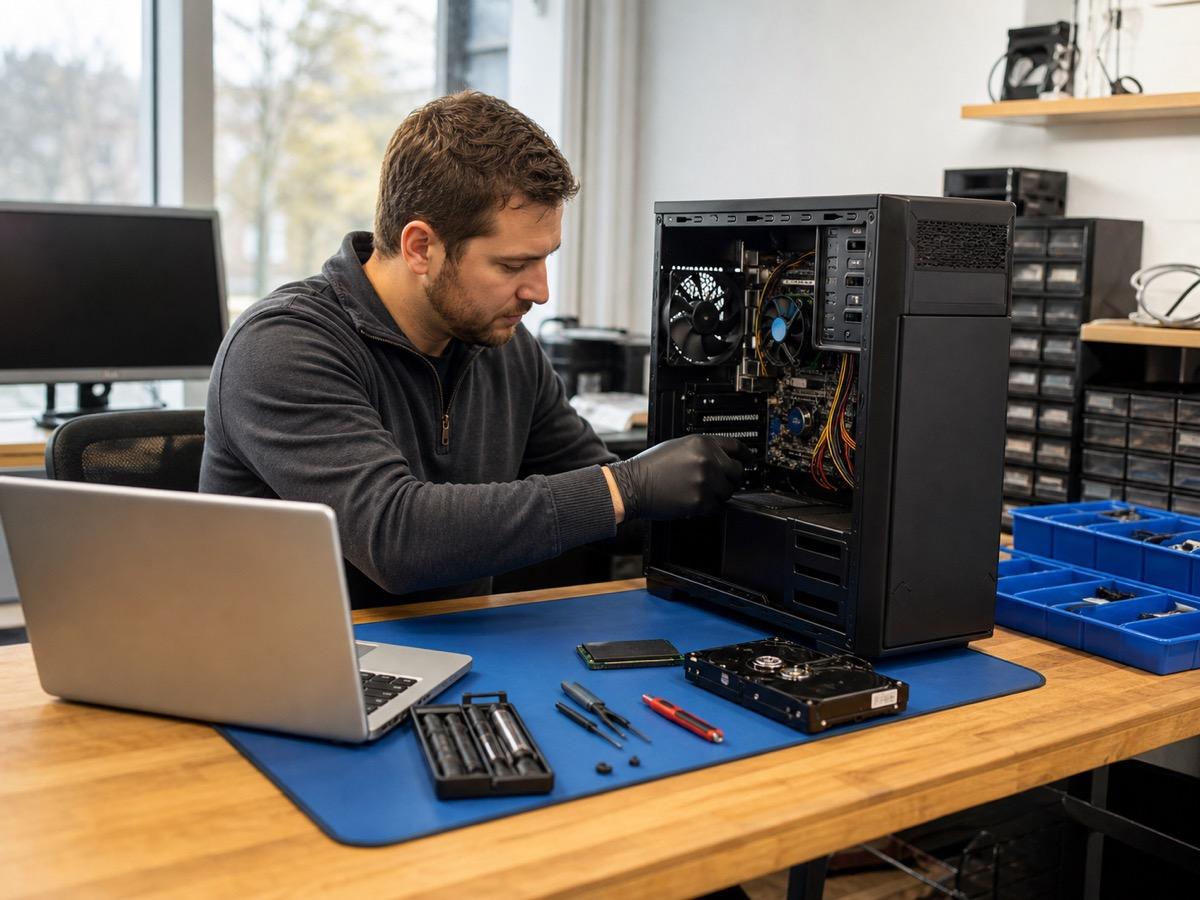
Desktop computer repair covers the tower or all-in-one computer that sits on your desk. Desktops use standard parts, so a failed power supply, drive or fan can often be replaced without waiting on a model-specific order.
A slow home or office computer often needs a computer tune-up, not a new machine. A TechOS tune-up clears junk and temp files, turns off programs that load at startup, installs waiting updates and cleans dust from the fans.
Dust is a common cause of crashes and sudden shutdowns in tower computers. A technician opens the case, cleans out dust and pet hair, checks each fan and fixes the airflow so parts stay cool.
An older desktop is often worth saving with an SSD or more memory. Swapping a hard drive for an SSD gives the biggest speed jump on most older machines, and the technician tells you plainly when a repair costs more then the computer is worth.
Most home and office computers do well with a tune-up about once a year. Book one sooner if the computer feels slow, runs hot or the fans stay loud.
TechOS is an Edmonton IT company, so the same team that fixes your computer can also support your business systems.
Buyer guidance
Computer diagnostics find the real cause of a problem before you pay for parts. The same symptom, like a random restart, can come from heat, bad memory, a weak power supply or a software conflict, so guessing wastes alot of money.
A TechOS diagnostic checks the parts most likely to fail:
Hard drive or SSD health and error logs
Memory, using a RAM tester to catch faults behind blue screens and freezes
Power supply, battery and charging
Temperatures, fans and dust
Windows errors, drivers and updates
A virus and malware scan
Built-in Dell and HP hardware diagnostics, plus testing for other brands
Hard drive or SSD condition, boot errors, Windows or Mac startup problems, and file access.
Startup programs, junk files, memory use, dust build up, fan health, and overheating.
Viruses, malware, spyware, fake pop-ups, browser hijacks, and missing antivirus.
Power supply, battery, screen, ports, and any part that has failed or is failing.
Process
You describe the problem by phone, email, or in person. We ask a few quick questions to point us the right way.
We test the computer to find the true cause, hardware or software, and give you a clear price before we fix anything.
We fix, clean, or upgrade the machine. If a part is needed we tell you the cost first so there are no surprises.
We make sure the computer runs right, protect it against the same problem, and give you plain tips to keep it healthy.
Technical scope
TechOS diagnostic results come back in plain language, with a price to fix the fault. After you recieve them, you decide whether to repair, upgrade or replace, and nothing is ordered or changed untill you approve.
Many computer diagnostics are done the same day. Faults that come and go may need longer testing, and the technician tells you the timing up front.
A TechOS diagnostic also works as a second opinion. If another shop told you to buy a new computer, a test can show whether a smaller repair would do the job.
Each TechOS repair page covers one kind of job. A short guide to picking the right one:
Laptops with power, heat or start-up faults: see laptop repair in Edmonton.
Cracked, black or flickering laptop displays: laptop screen repair.
Gaming and custom-built towers: PC repair.
A computer you need back today: same-day computer repair, when the fault and parts allow.
A technician at your home or office: onsite computer repair.
Pop-ups, fake warnings and infections: virus removal.
Lost files on a failed or failing drive: data recovery.
A healthy but slow computer: RAM and SSD upgrades.
Questions to ask
Ask about scope, documentation, ownership and follow-up before approving the quote.
A good shop runs a diagnostic first and tells you honestly when a repair or upgrade beats buying new.
Ask for a clear price after the diagnostic, before any parts are ordered, so there are no surprises.
Ask how your data is protected during the repair and whether a backup can be set up.
Local considerations
Computer repair cost depends on the fault, the parts and the time needed. A price given before testing is only a guess, because the same symptom can have a cheap cause or a costly one.
TechOS charges a diagnostic fee to test the computer. If you approve the repair, the fee goes toward the total, so you are not charged twice.
Parts are quoted before they are ordered. Desktop drives, memory and power supplies are often easy to get, while laptop screens, keyboards and model-specific batteries may need to be ordered and can add a few days.
Repair time depends on the job. Software repairs, virus removal and tune-ups are often done in a day, jobs that need an ordered part take longer, and you get the expected finish time with your quote.
Every TechOS computer repair follows the same four steps, whether you drop the computer off, use remote help or book an onsite visit.
You tell us the problem by phone, email or in person, and what changed recently.
We test the hardware and software to find the cause, then give you a clear price.
After you approve, we repair, clean or upgrade the computer.
We test the computer under load, check temperatures and confirm your files open, then hand it back with simple care tips.
TechOS has served Edmonton homes and small businesses since 2018, from an office at 5325 Admiral Girouard Street NW in Griesbach. The team holds a 4.9 Google rating from 40 reviews.
Onsite computer visits cover Edmonton, Sherwood Park, St. Albert, Leduc and Spruce Grove. An onsite visit suits software faults, network problems and offices where staff cant leave their desk.
Before any computer repair that could touch your data, a TechOS technician checks the drive and works to copy your files first when the drive allows it. The technician can also help you set up a backup so the next failure costs you less.
We help folks downtown, in south Edmonton, and west Edmonton, plus small offices that cannot lose a work computer for days.
Sealed-up Edmonton homes in winter fill computers with dust and pet hair. That heat kills parts early, so we clean and cool machines as part of most repairs.
For urgent jobs we come to you or turn work around fast across St. Albert, Sherwood Park, Leduc, and Beaumont, not just the city core.
| Benefit 1 | One local shop for desktops, laptops, viruses, and lost data |
|---|---|
| Benefit 2 | Clear pricing and a diagnostic before you spend on parts |
| Benefit 3 | On-site and same-day repair near you when time matters |
| Benefit 4 | Honest advice on repair versus replace so you do not overpay |
TechOS has served Edmonton offices and healthcare teams since 2018.
Team certifications include Cisco CCNP, Fortinet FCP, Sophos Certified Engineer, Microsoft 365 Certified, CompTIA Security+. We match the technical scope to your equipment and systems.
TechOS has a 4.9 Google rating across 40 reviews. Read the public feedback on support and onsite work.
For computer repair services, this often means checking the current setup, documenting the risk, fixing the urgent items first, and leaving clear next steps.
FAQs
Computer repair cost depends on the fault and the parts. TechOS charges a diagnostic fee to test the computer, then gives you a quote. If you approve the repair, the diagnostic fee goes toward the total.
Yes. A TechOS tune-up clears junk files, trims startup programs, installs updates and cleans dust from the fans. Adding an SSD gives the biggest speed jump on older computers.
Many diagnostics are finished the same day. Faults that come and go, like random restarts, can take longer to catch, and the technician tells you the timing before testing starts.
Usually, yes. A computer that will not turn on often has a failed power supply, a loose cable, a bad battery or one failed part. A diagnostic finds the cause first, then you get a repair price.
Both. TechOS repairs home desktops and laptops as well as computers for small offices, clinics and other Edmonton businesses. The testing, pricing and approval steps are the same for each.
Yes. A TechOS technician can visit your home or office in Edmonton, Sherwood Park, St. Albert, Leduc or Spruce Grove when the fix is easier at your desk or you cannot drop the computer off.
Find gaps in your current IT setup and discuss which fixes to tackle first. Tell us what is affecting your staff and we will explain the next steps.
Phone
(780) 999-3432
info@techos.ca
Office
5325 Admiral Girouard Street NW, Edmonton, AB T5E 6X5, Canada
Hours
Mon – Fri, 8:30 am – 6:00 pm
Google Business Profile
Directions, hours, photos, and reviews
Fill in your details and we'll get back to you shortly.